> ## Documentation Index
> Fetch the complete documentation index at: https://asapp-04-04-getting-started-ga.mintlify.site/llms.txt
> Use this file to discover all available pages before exploring further.
# GenerativeAgent Updates
> New updates and improvements for the GenerativeAgent
## Evaluation for Scenario Testing
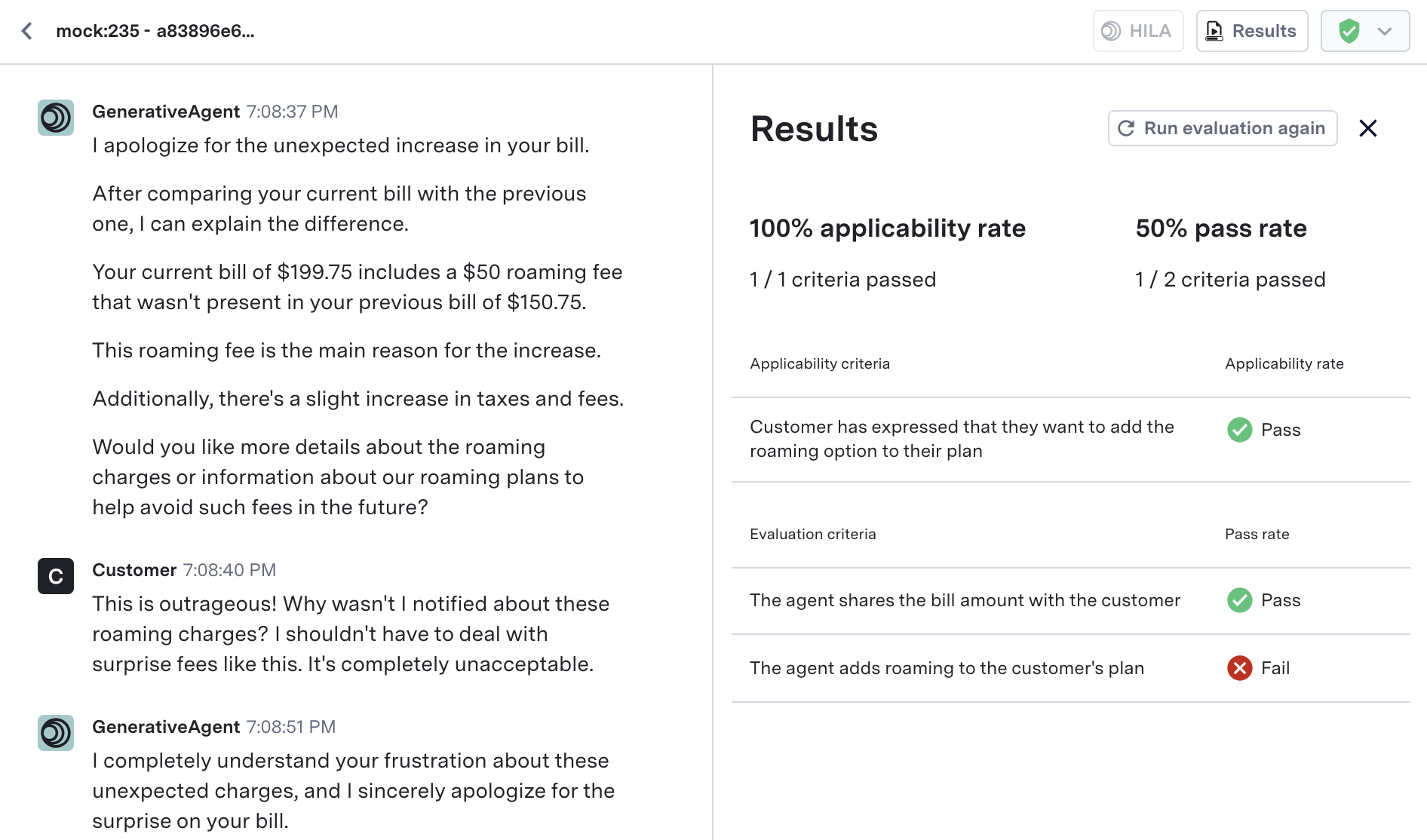
**Test Scenarios** now support automated evaluation of simulated conversations through a new **Evaluations** section.
With these updates, you can:
* Define **applicability criteria** to control when evaluations should run
* Specify **evaluation criteria** to automatically assess key outcomes in simulated conversations
* View pass/fail results in the **Previewer**, side-by-side with the conversation
* Rerun evaluations after editing the test scenario, using the **Run Eval Again** button
* Set a **max number of turns** (default: 25) for simulations
* Preview your test scenario directly from the test file after saving
 Learn how to define and run evaluations on simulated customer conversations.
## Scenario Testing
**Test Scenarios** enable more efficient testing of GenerativeAgent configurations through automated simulations of customer interactions. They are an evolution from Test Users, offering not just mock API profiles, but also integrated goals, information customers have on them, and personalities to simulate a customer in a specific scenario.
With Test Scenarios, you can:
* Automatically generate mock API responses fitting a customer scenario
* Add customer goals, information customers have, and personalities to vary how the simulated customer will interact with GenerativeAgent
* Run simulated interactions and review how GenerativeAgent handles a customer with that scenario
**Test Users** have been migrated to Test Scenarios
All workflows involving Test Users will still be accessible through Test Scenarios and all Test Users have been migrated to Test Scenarios.
Learn how to define and run evaluations on simulated customer conversations.
## Scenario Testing
**Test Scenarios** enable more efficient testing of GenerativeAgent configurations through automated simulations of customer interactions. They are an evolution from Test Users, offering not just mock API profiles, but also integrated goals, information customers have on them, and personalities to simulate a customer in a specific scenario.
With Test Scenarios, you can:
* Automatically generate mock API responses fitting a customer scenario
* Add customer goals, information customers have, and personalities to vary how the simulated customer will interact with GenerativeAgent
* Run simulated interactions and review how GenerativeAgent handles a customer with that scenario
**Test Users** have been migrated to Test Scenarios
All workflows involving Test Users will still be accessible through Test Scenarios and all Test Users have been migrated to Test Scenarios.
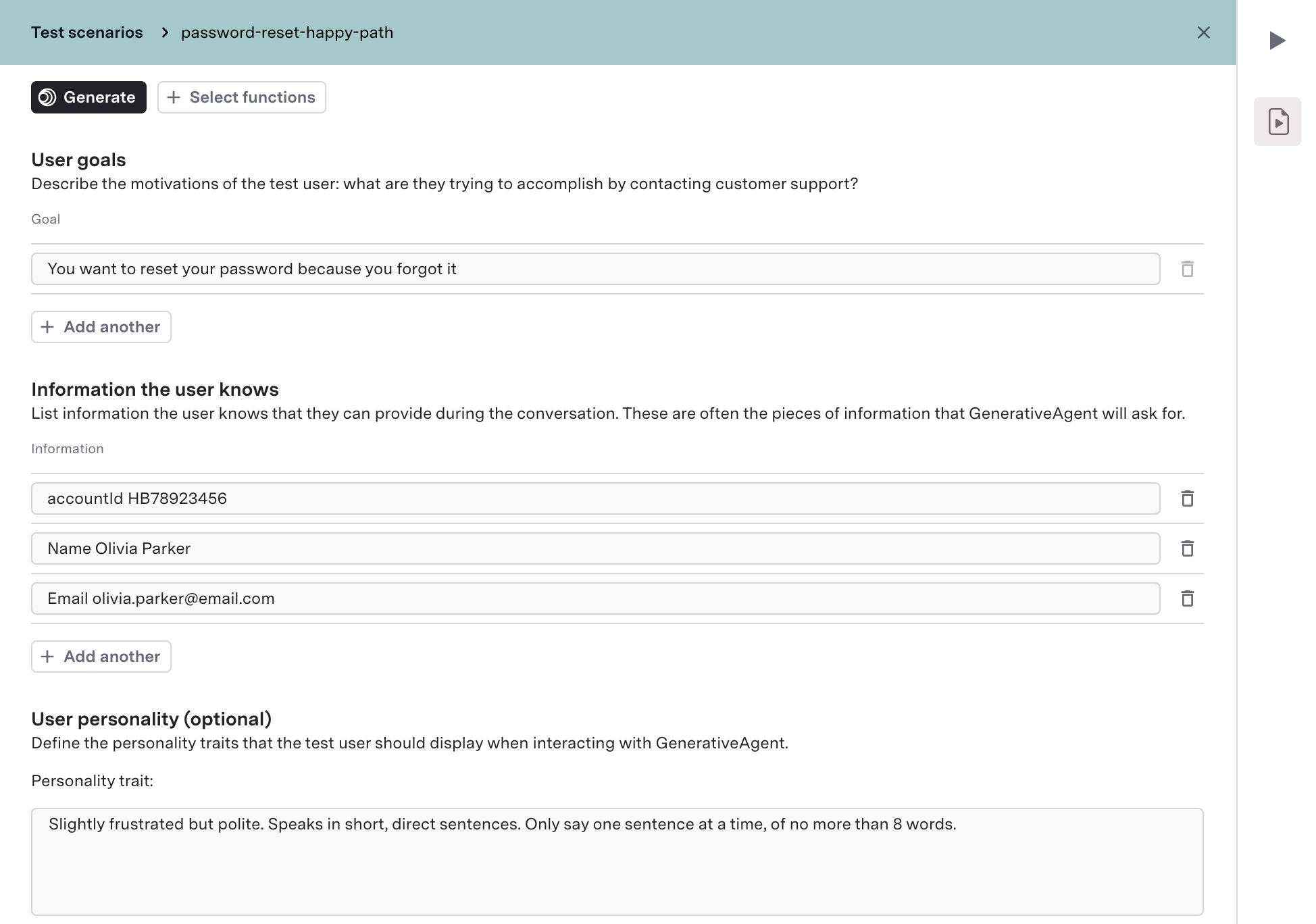 Learn how to create Test Scenarios and use them to speed up testing of GenerativeAgent configurations.
## Configuration Branches
**Configuration Branches** enables seamless experimentation with GenerativeAgent configurations through local branching. This new feature allows you to safely test and iterate on changes without affecting your main environments.
With Configuration Branches, you can:
* Create isolated branches from Draft, Sandbox, or Production environments
* Edit tasks, functions, and settings in a protected workspace
* Preview changes before promoting them to main environments
* Collaborate with team members on configuration improvements
Learn how to create Test Scenarios and use them to speed up testing of GenerativeAgent configurations.
## Configuration Branches
**Configuration Branches** enables seamless experimentation with GenerativeAgent configurations through local branching. This new feature allows you to safely test and iterate on changes without affecting your main environments.
With Configuration Branches, you can:
* Create isolated branches from Draft, Sandbox, or Production environments
* Edit tasks, functions, and settings in a protected workspace
* Preview changes before promoting them to main environments
* Collaborate with team members on configuration improvements
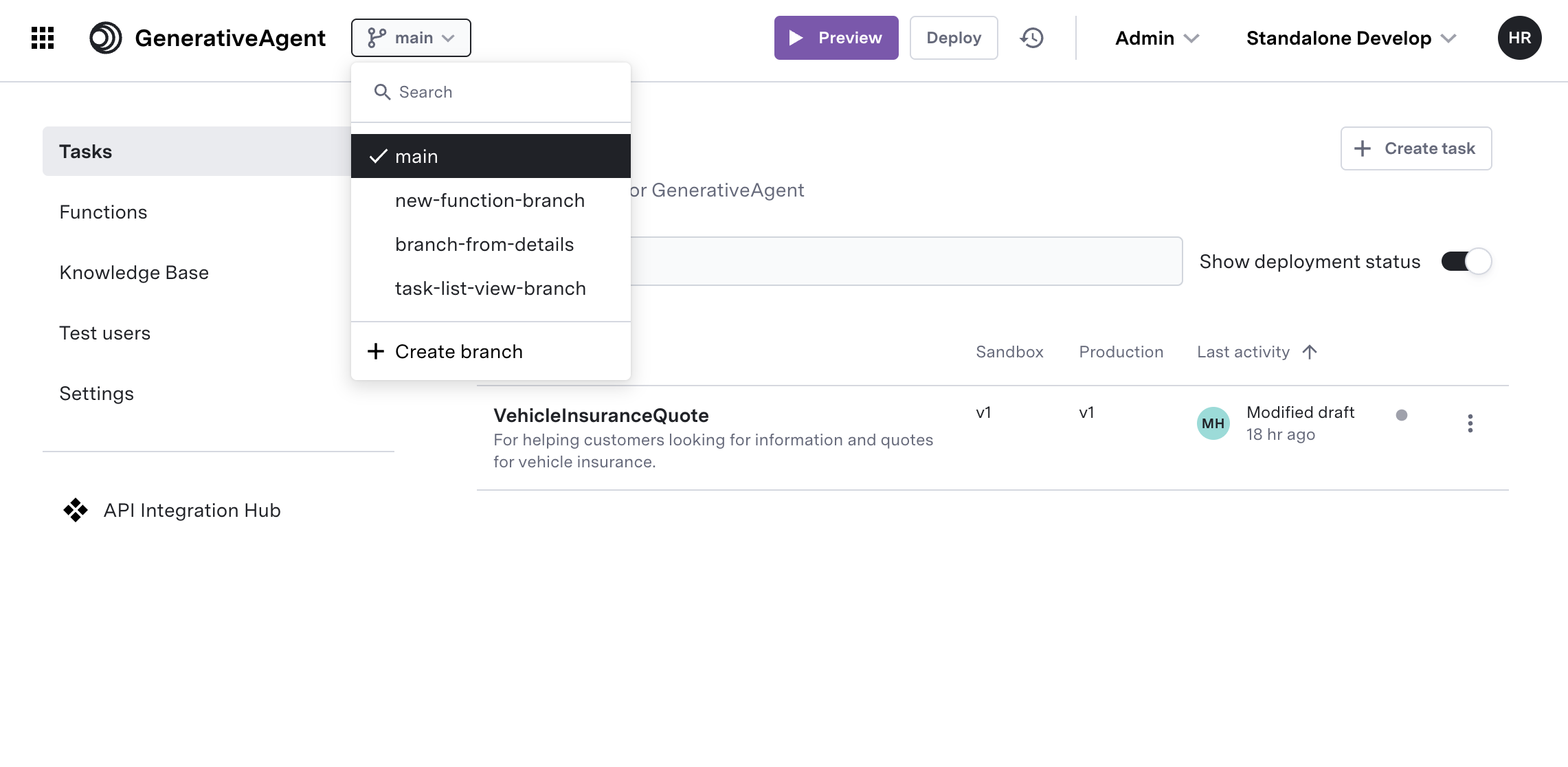 Learn how to create branches, make configuration changes, and safely promote them to your main environments.
## Advanced Syncing and Auto-Deploy for Knowledge Base Content
We've launched enhanced controls for syncing and deploying your knowledge base, giving you the flexibility to prioritize critical updates and deliver the most current information through GenerativeAgent—automatically and with less manual overhead.
**What’s new?**
* **Configurable Sync Modes:** Set each content source to update with manual review, auto-deploy updates directly to production, or turn off syncing.
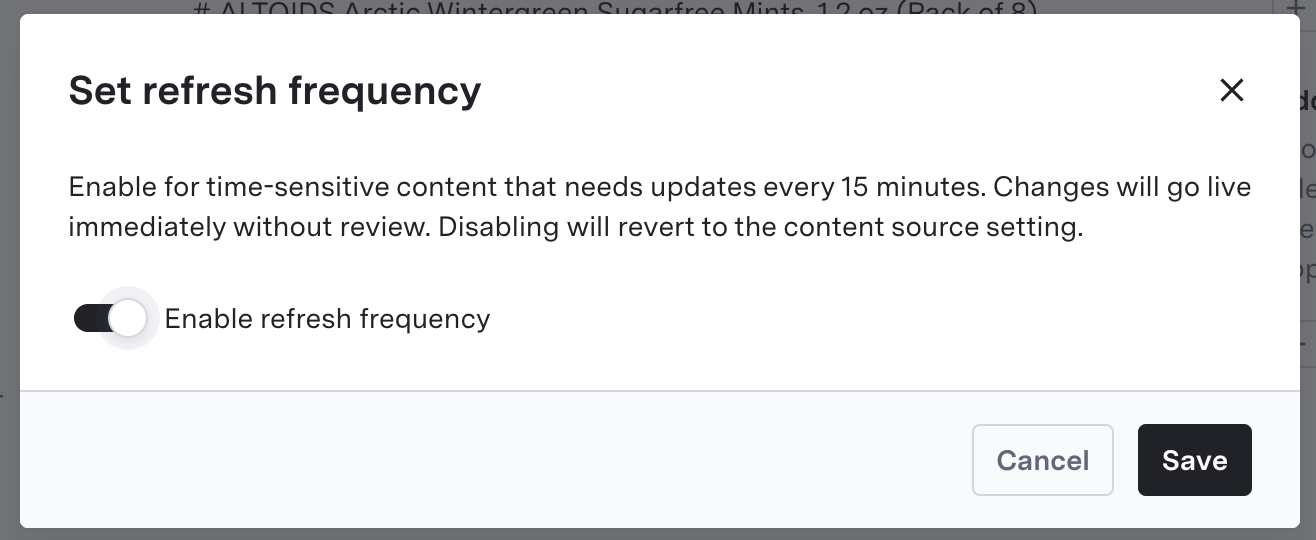
* **Frequent Article Refresh:** Enable high-frequency (every 15 minutes) automatic updates and instant deployment for critical, time-sensitive articles.
Learn how to create branches, make configuration changes, and safely promote them to your main environments.
## Advanced Syncing and Auto-Deploy for Knowledge Base Content
We've launched enhanced controls for syncing and deploying your knowledge base, giving you the flexibility to prioritize critical updates and deliver the most current information through GenerativeAgent—automatically and with less manual overhead.
**What’s new?**
* **Configurable Sync Modes:** Set each content source to update with manual review, auto-deploy updates directly to production, or turn off syncing.
* **Frequent Article Refresh:** Enable high-frequency (every 15 minutes) automatic updates and instant deployment for critical, time-sensitive articles.
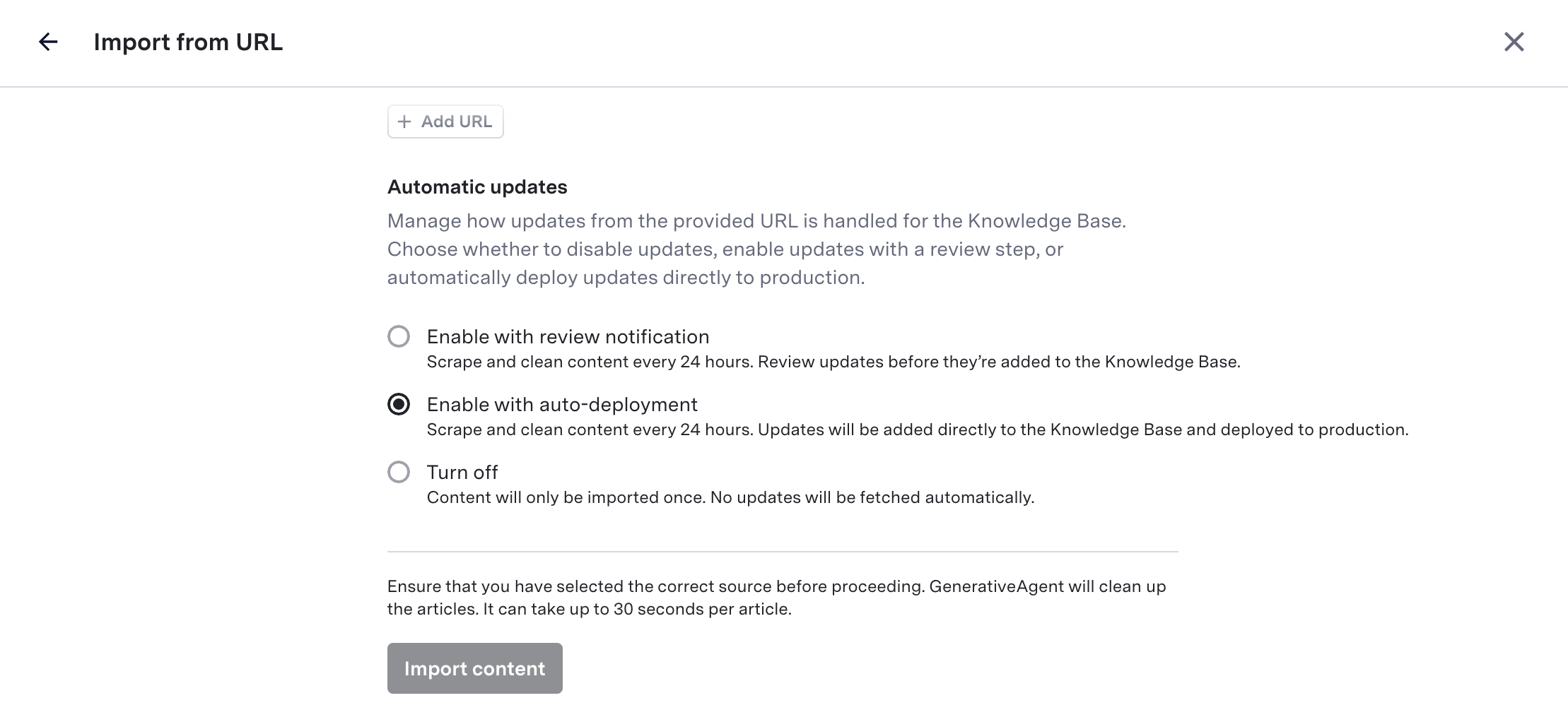
 Learn how to configure syncing and deploy preferences for maximum accuracy and responsiveness.
## Auto-generating Test Users
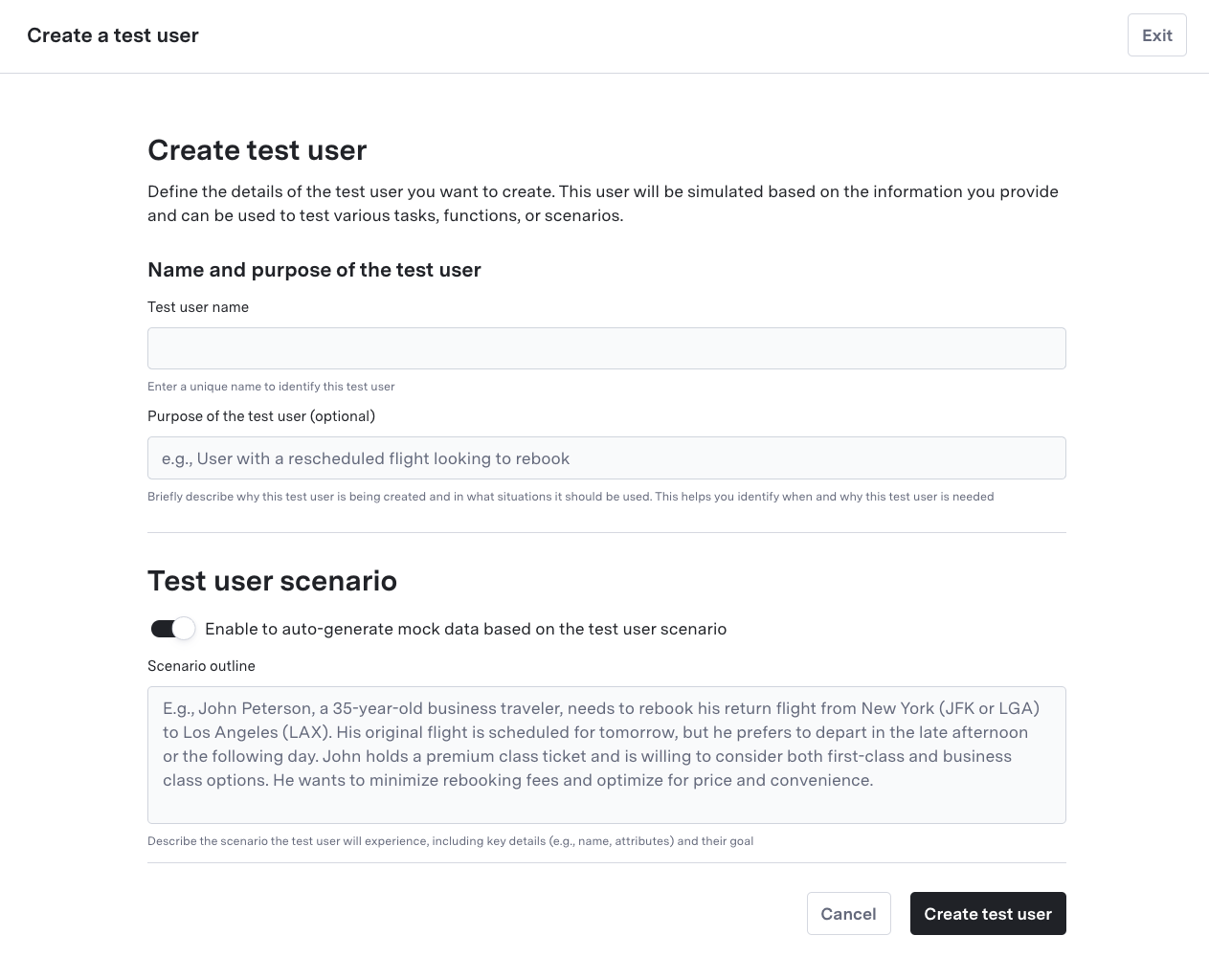
We've introduced the ability to **automatically generate test** users by describing test scenarios, making it easier to simulate API interactions for testing purposes.
This feature accelerates your testing process by automatically creating realistic test data based on your scenario descriptions, helping you validate GenerativeAgent's behavior more efficiently.
Learn how to configure syncing and deploy preferences for maximum accuracy and responsiveness.
## Auto-generating Test Users
We've introduced the ability to **automatically generate test** users by describing test scenarios, making it easier to simulate API interactions for testing purposes.
This feature accelerates your testing process by automatically creating realistic test data based on your scenario descriptions, helping you validate GenerativeAgent's behavior more efficiently.
 Learn how to create and configure test users to simulate API responses and test your GenerativeAgent's behavior
## Pinned Versions
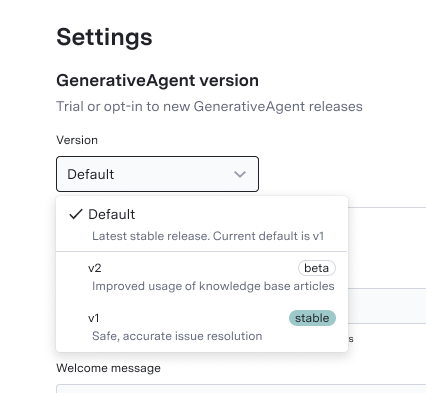
**Pinned Versions** allows you to pin specific versions of GenerativeAgent to a deployment, enabling safer and more predictable deployments.
This enables you to:
* Maintain version stability in production environments
* Control the rollout of new features
* Test version changes in preview before deployment
* Ensure consistent behavior across GenerativeAgent deployments
Learn how to create and configure test users to simulate API responses and test your GenerativeAgent's behavior
## Pinned Versions
**Pinned Versions** allows you to pin specific versions of GenerativeAgent to a deployment, enabling safer and more predictable deployments.
This enables you to:
* Maintain version stability in production environments
* Control the rollout of new features
* Test version changes in preview before deployment
* Ensure consistent behavior across GenerativeAgent deployments
 Learn how to configure and manage GenerativeAgent versions
## Scope and Safety
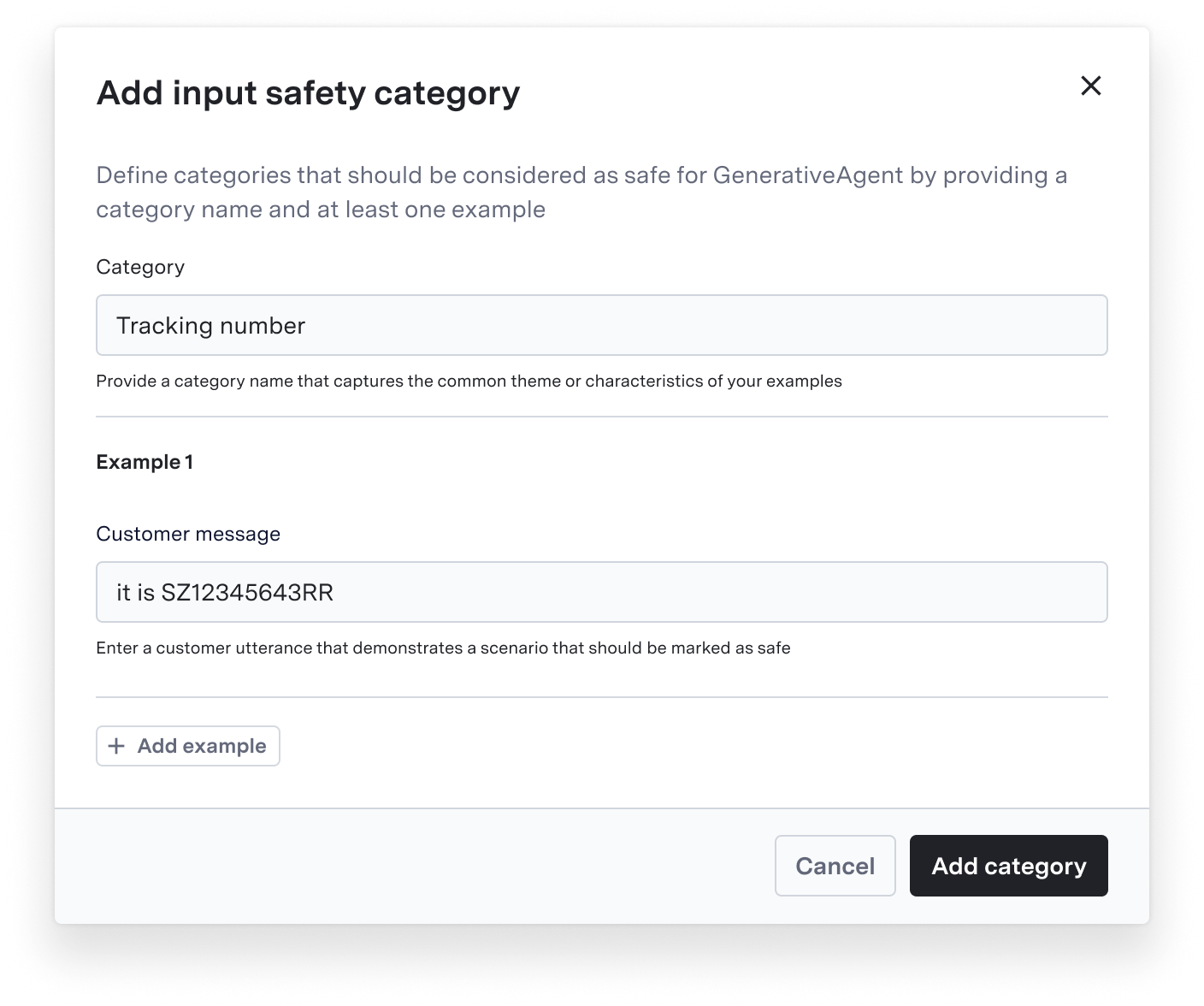
**Scope and Safety Fine Tuning** allows customizable guardrails that let you define what's considered "in-scope" and "safe" for your specific use cases, while maintaining core safety protections.
With this feature, you can:
* Customize safety boundaries aligned with business policies
* Expand permissible topics without compromising default protections
* Control input safety and scope definitions with precision
Learn how to configure and manage GenerativeAgent versions
## Scope and Safety
**Scope and Safety Fine Tuning** allows customizable guardrails that let you define what's considered "in-scope" and "safe" for your specific use cases, while maintaining core safety protections.
With this feature, you can:
* Customize safety boundaries aligned with business policies
* Expand permissible topics without compromising default protections
* Control input safety and scope definitions with precision
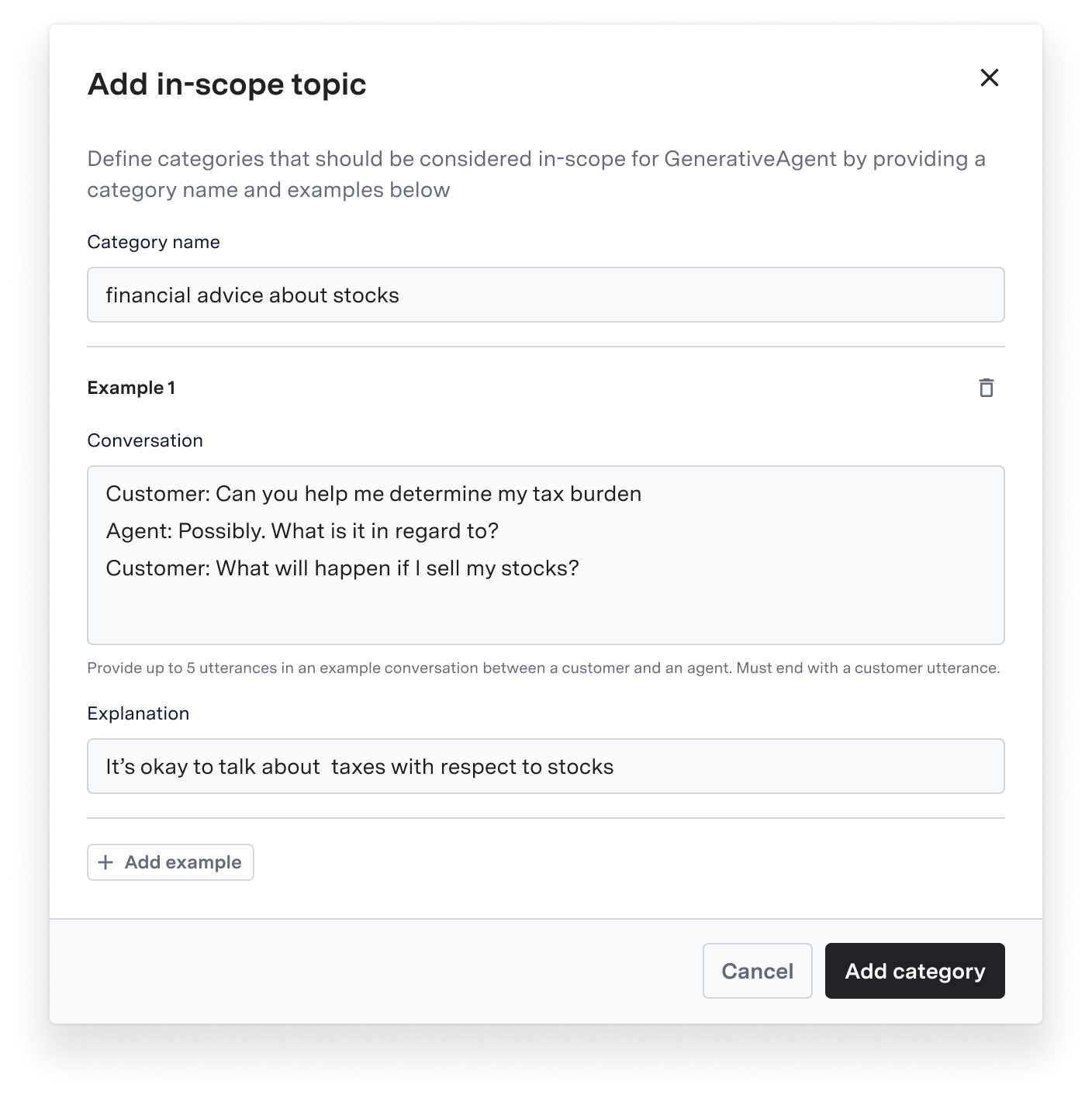 Learn how to configure safety and scope settings
## Mock Functions
**Mock Functions** enable rapid prototyping and testing of GenerativeAgent integrations without requiring live API endpoints.
This feature allows you to:
* Prototype and validate Function behaviors before building actual APIs
* Test GenerativeAgent's parameter handling and response processing
* Accelerate development by simulating API responses during initial setup
Once you have a working mock function, you can convert it to a live function by pointing it to your live API via an API connection.
Learn how to configure safety and scope settings
## Mock Functions
**Mock Functions** enable rapid prototyping and testing of GenerativeAgent integrations without requiring live API endpoints.
This feature allows you to:
* Prototype and validate Function behaviors before building actual APIs
* Test GenerativeAgent's parameter handling and response processing
* Accelerate development by simulating API responses during initial setup
Once you have a working mock function, you can convert it to a live function by pointing it to your live API via an API connection.
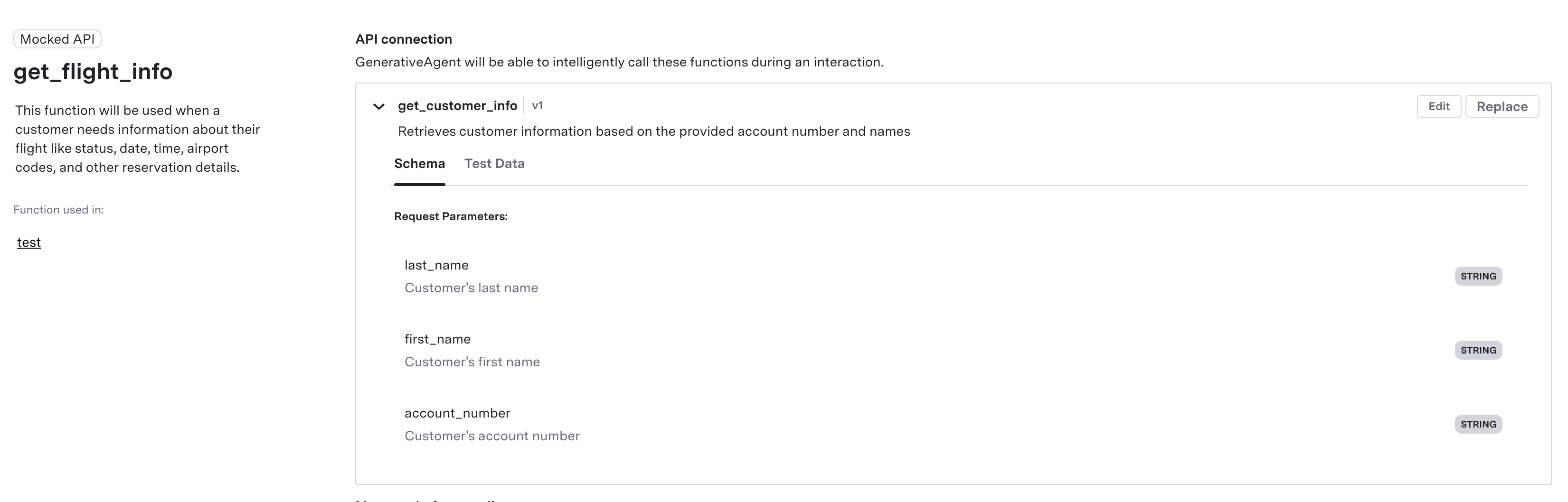 Learn how to create and use Mock Functions
## Turn Inspector
**Turn Inspector** is an advanced diagnostic feature in [Previewer](/generativeagent/configuring/previewer) that provides granular visibility into GenerativeAgent's interaction workflow.
It enables you to diagnose unexpected behaviors, fine-tune instructions, and ensure more predictable and reliable interactions with GenerativeAgent.
You can inspect:
* Active Task configuration
* Current reference variables
* Instruction parsing
* Function call context
* Execution state per turn
Learn how to create and use Mock Functions
## Turn Inspector
**Turn Inspector** is an advanced diagnostic feature in [Previewer](/generativeagent/configuring/previewer) that provides granular visibility into GenerativeAgent's interaction workflow.
It enables you to diagnose unexpected behaviors, fine-tune instructions, and ensure more predictable and reliable interactions with GenerativeAgent.
You can inspect:
* Active Task configuration
* Current reference variables
* Instruction parsing
* Function call context
* Execution state per turn
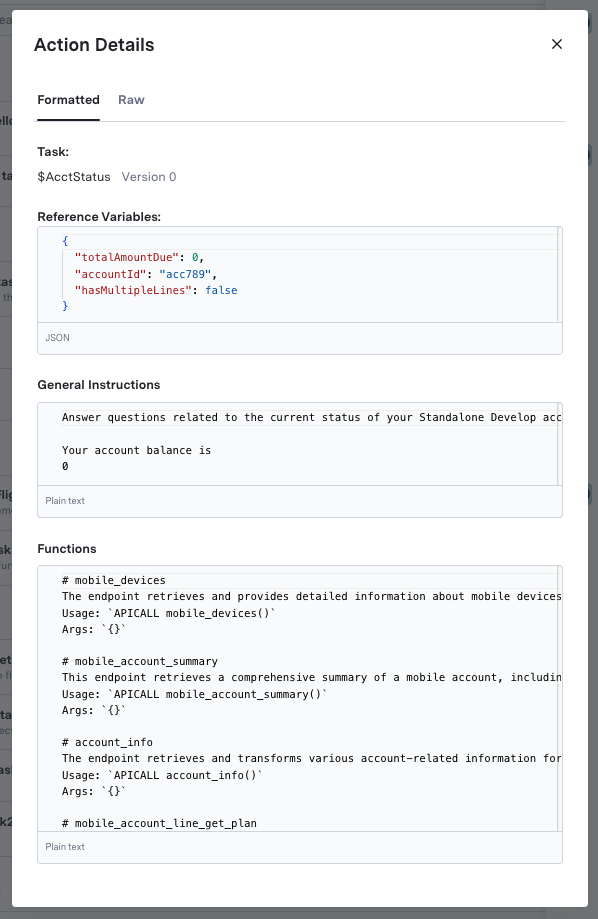 Learn how to use the Previewer to inspect and debug your GenerativeAgent workflows
## Knowledge Base Search
**Knowledge Base Search** enables powerful free-text search across article titles, text, and URLs. The search includes metadata filtering capabilities for content source, creation details, and deployment status.
This makes it easier to manage and navigate your Knowledge Base.
Learn how to use the Previewer to inspect and debug your GenerativeAgent workflows
## Knowledge Base Search
**Knowledge Base Search** enables powerful free-text search across article titles, text, and URLs. The search includes metadata filtering capabilities for content source, creation details, and deployment status.
This makes it easier to manage and navigate your Knowledge Base.
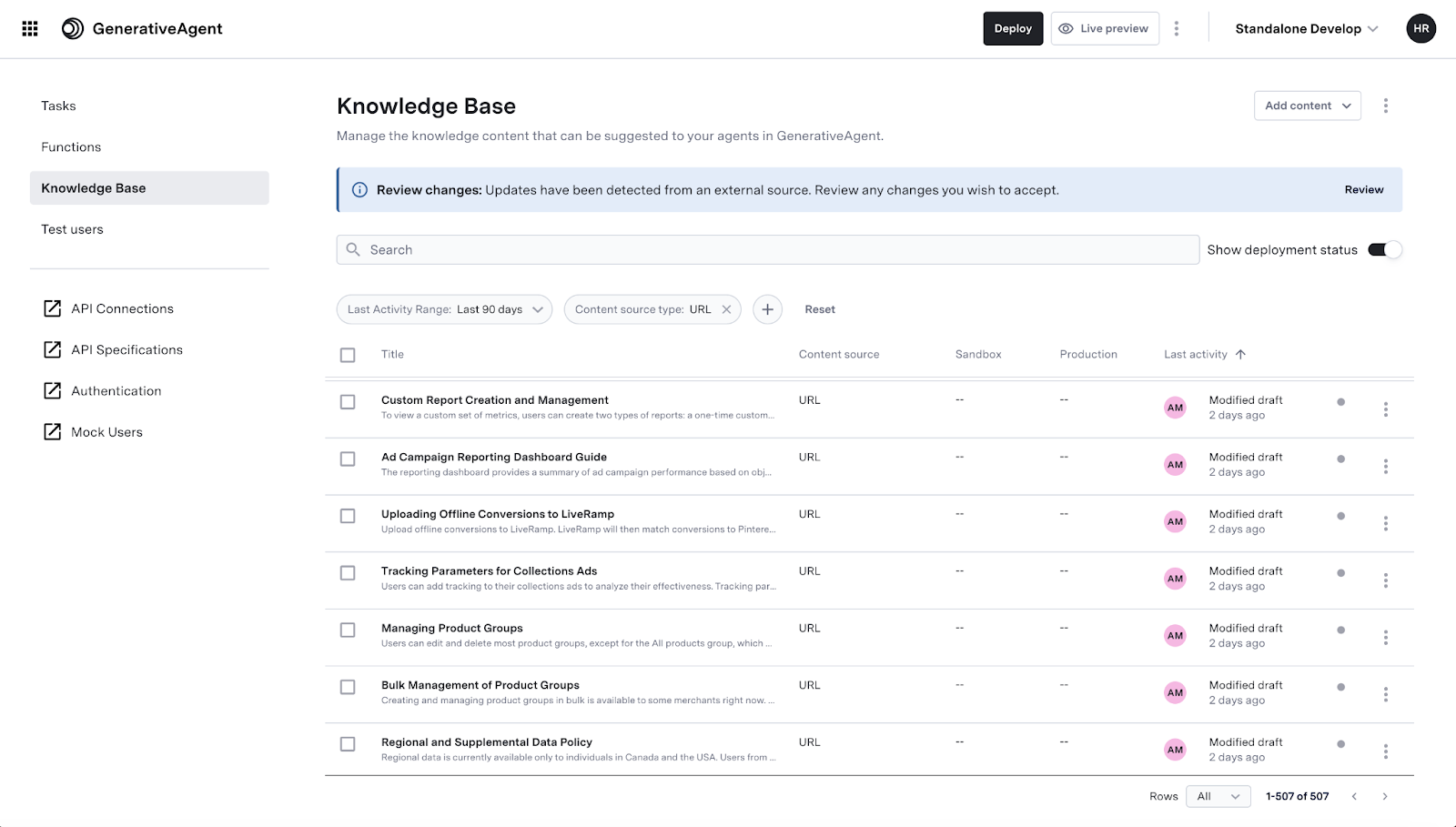 Users can combine multiple filters with AND operators, maintain search context while navigating, and perform bulk operations on search results.
Learn how to effectively manage and search your Knowledge Base content
## Knowledge Base Article API
The [Knowledge Base Article API](/apis/knowledge-base/create-a-submission) enables programmatic management of Knowledge Base articles, allowing you to programmatically add and modify articles within the GenerativeAgent Knowledge Base.
Key use cases include:
* Integration with private internal knowledge bases not publicly accessible
* Importing content from non-scrapable sources like Content Management Systems (CMS)
* Fine-grained programmatic control over knowledge ingestion and management
Learn how to use the API
## Trial Mode
**Trial Mode** allows you to safely deploy GenerativeAgent use cases by trialing functions in production. When developing AI applications, it's critical to validate how your AI system interacts with external functions and APIs before full deployment. Trial mode provides this safety layer.
This can allow you to:
* Ensure GenerativeAgent called the function properly given the conversation context.
* Ensure GenerativeAgent interpreted the function response.
* Be protected from unknown API response variations that you might not have accounted for during development and testing.
Users can combine multiple filters with AND operators, maintain search context while navigating, and perform bulk operations on search results.
Learn how to effectively manage and search your Knowledge Base content
## Knowledge Base Article API
The [Knowledge Base Article API](/apis/knowledge-base/create-a-submission) enables programmatic management of Knowledge Base articles, allowing you to programmatically add and modify articles within the GenerativeAgent Knowledge Base.
Key use cases include:
* Integration with private internal knowledge bases not publicly accessible
* Importing content from non-scrapable sources like Content Management Systems (CMS)
* Fine-grained programmatic control over knowledge ingestion and management
Learn how to use the API
## Trial Mode
**Trial Mode** allows you to safely deploy GenerativeAgent use cases by trialing functions in production. When developing AI applications, it's critical to validate how your AI system interacts with external functions and APIs before full deployment. Trial mode provides this safety layer.
This can allow you to:
* Ensure GenerativeAgent called the function properly given the conversation context.
* Ensure GenerativeAgent interpreted the function response.
* Be protected from unknown API response variations that you might not have accounted for during development and testing.
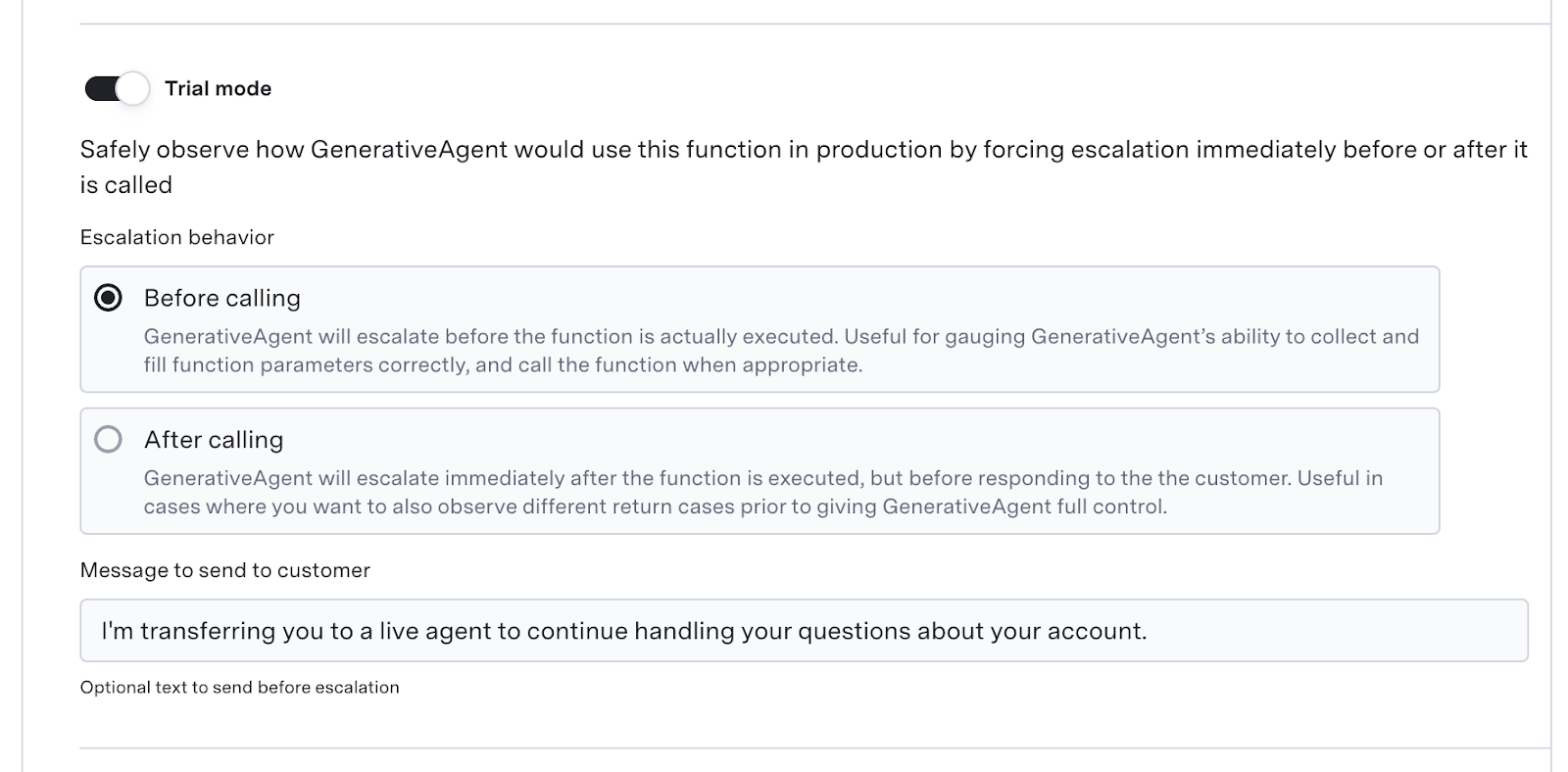 Check out the [Trial Mode guide](/generativeagent/configuring/tasks-and-functions/trial-mode) for more information.