> ## Documentation Index
> Fetch the complete documentation index at: https://asapp-04-04-getting-started-ga.mintlify.site/llms.txt
> Use this file to discover all available pages before exploring further.
# Digital Agent Desk
> Use the Digital Agent Desk to empower agents to deliver fast and exceptional customer service.
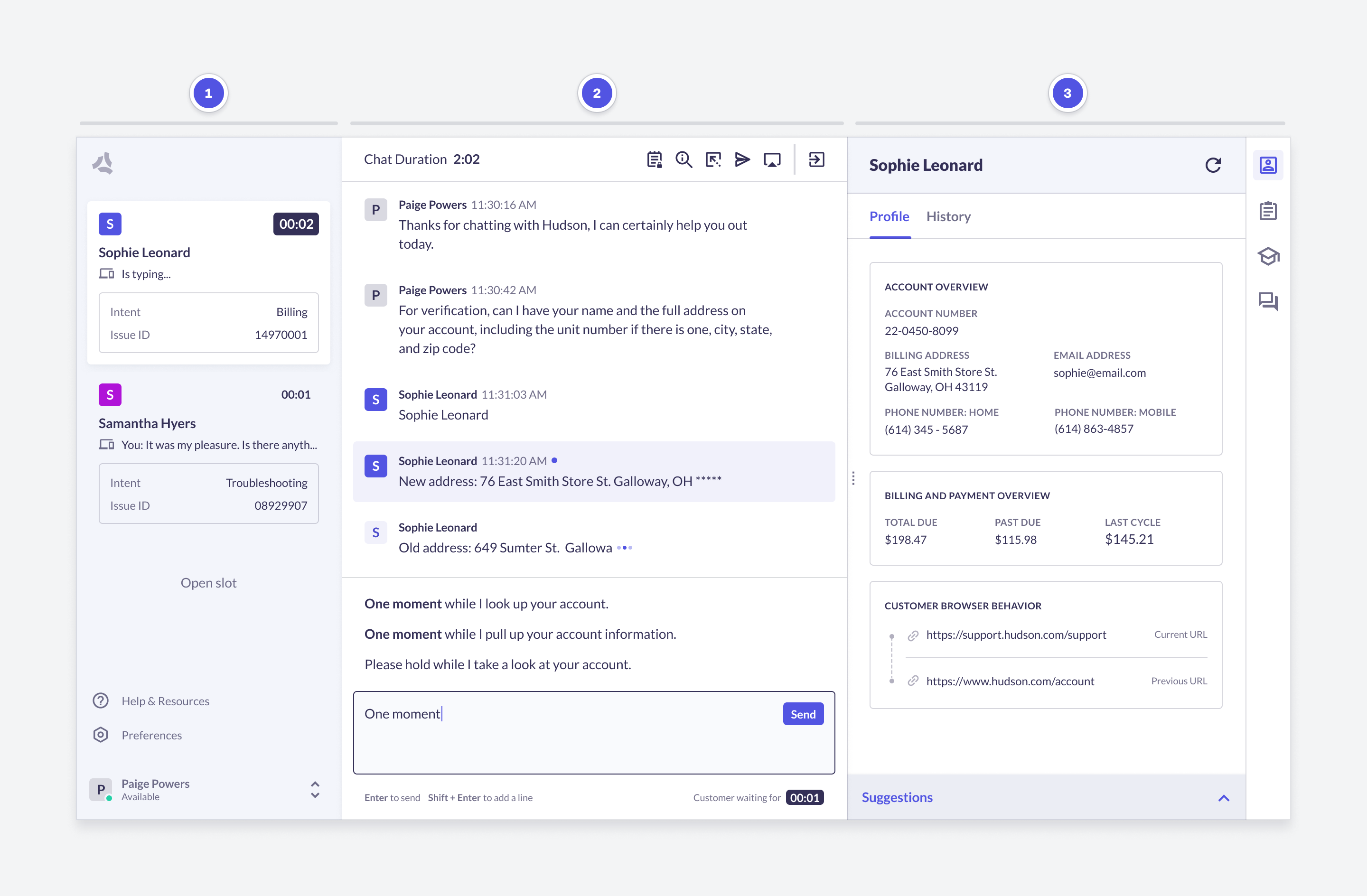
The Digital Agent Desk for chat is the main application where agents can communicate with customers. The agent can:
* Send and receive messages across multiple channels.
* Manage concurrent conversations with intelligent prioritization.
* Access interaction history for context-aware support.
* Use AI tools like AutoCompose, Autopilot, and AutoSummary for faster Average Handle Time (AHT).
* Intuitive interface with integrated [knowledge base](/messaging-platform/digital-agent-desk/knowledge-base) and customer info.
 ## AI tools
Digital Agent Desk capture agent conversations and actions to power Machine Learning (ML) models. These models power a number of AI tools that can be used to help agents deliver exceptional customer service.
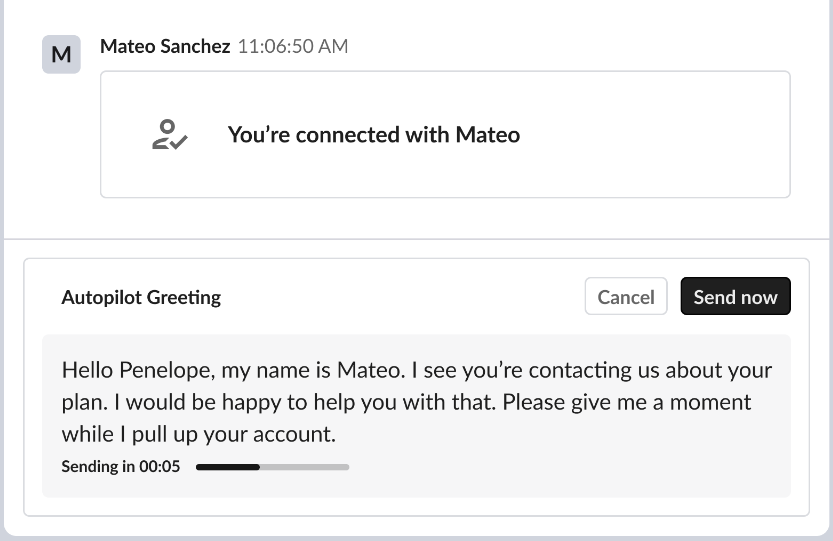
Automatically send messages to customers based on the conversation context to allow the agent to focus on meaningful parts of a conversation.
* **AutoPilot Greeting**: Send a greeting message to the customer when the conversation starts.
* **AutoPilot Ending**: Send a closing message to the customer when the conversation ends.
* **AutoPilot Timeout**: Automatically handle closing out conversations where the customer has become inactive.
## AI tools
Digital Agent Desk capture agent conversations and actions to power Machine Learning (ML) models. These models power a number of AI tools that can be used to help agents deliver exceptional customer service.
Automatically send messages to customers based on the conversation context to allow the agent to focus on meaningful parts of a conversation.
* **AutoPilot Greeting**: Send a greeting message to the customer when the conversation starts.
* **AutoPilot Ending**: Send a closing message to the customer when the conversation ends.
* **AutoPilot Timeout**: Automatically handle closing out conversations where the customer has become inactive.
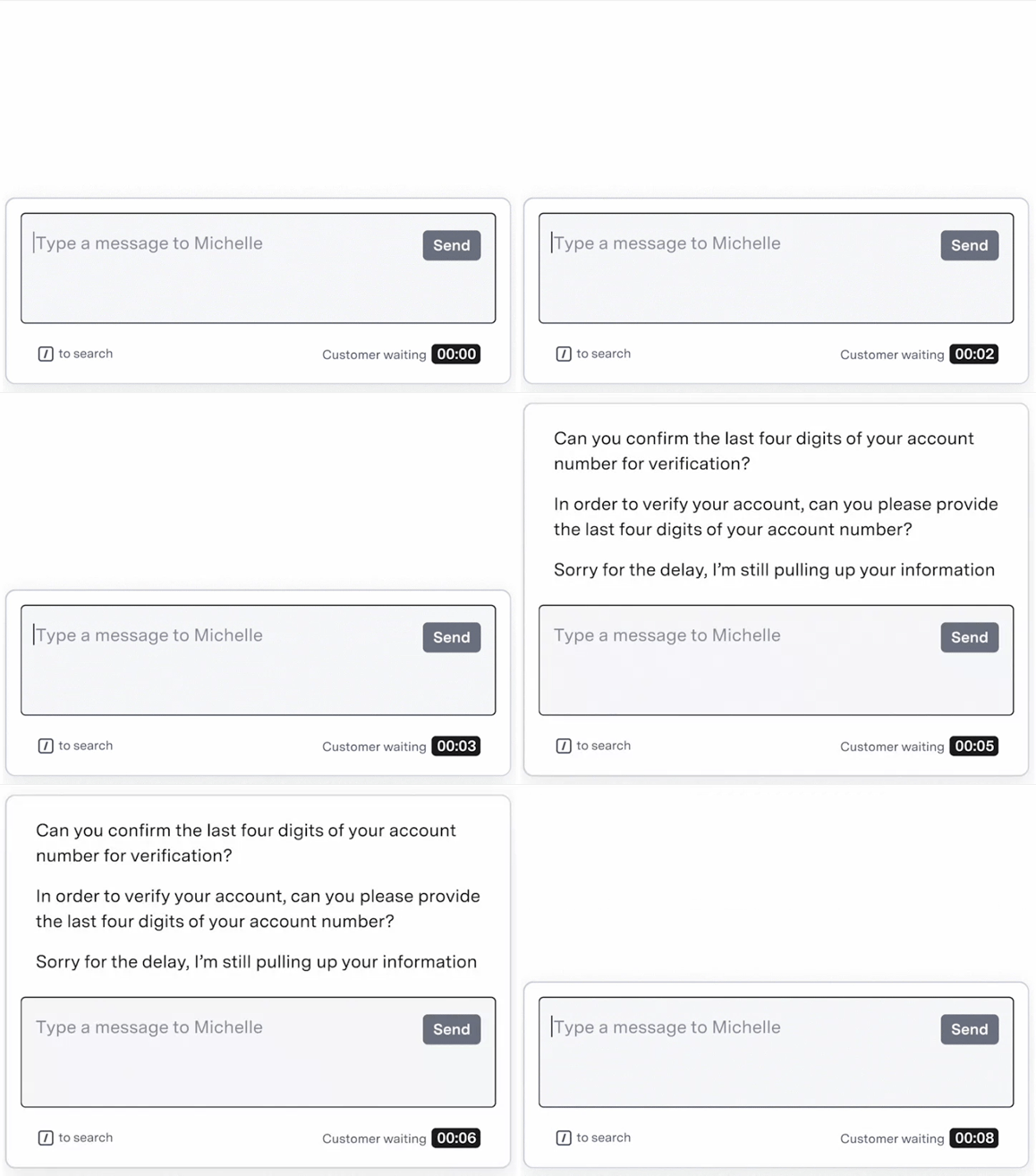
 Show full responses to your agent based on the conversation context, allowing your agent to just select a response from the list to quickly reply.
 As your agent types, suggest new complete responses. Empowers agents to take advantage of the full response library.
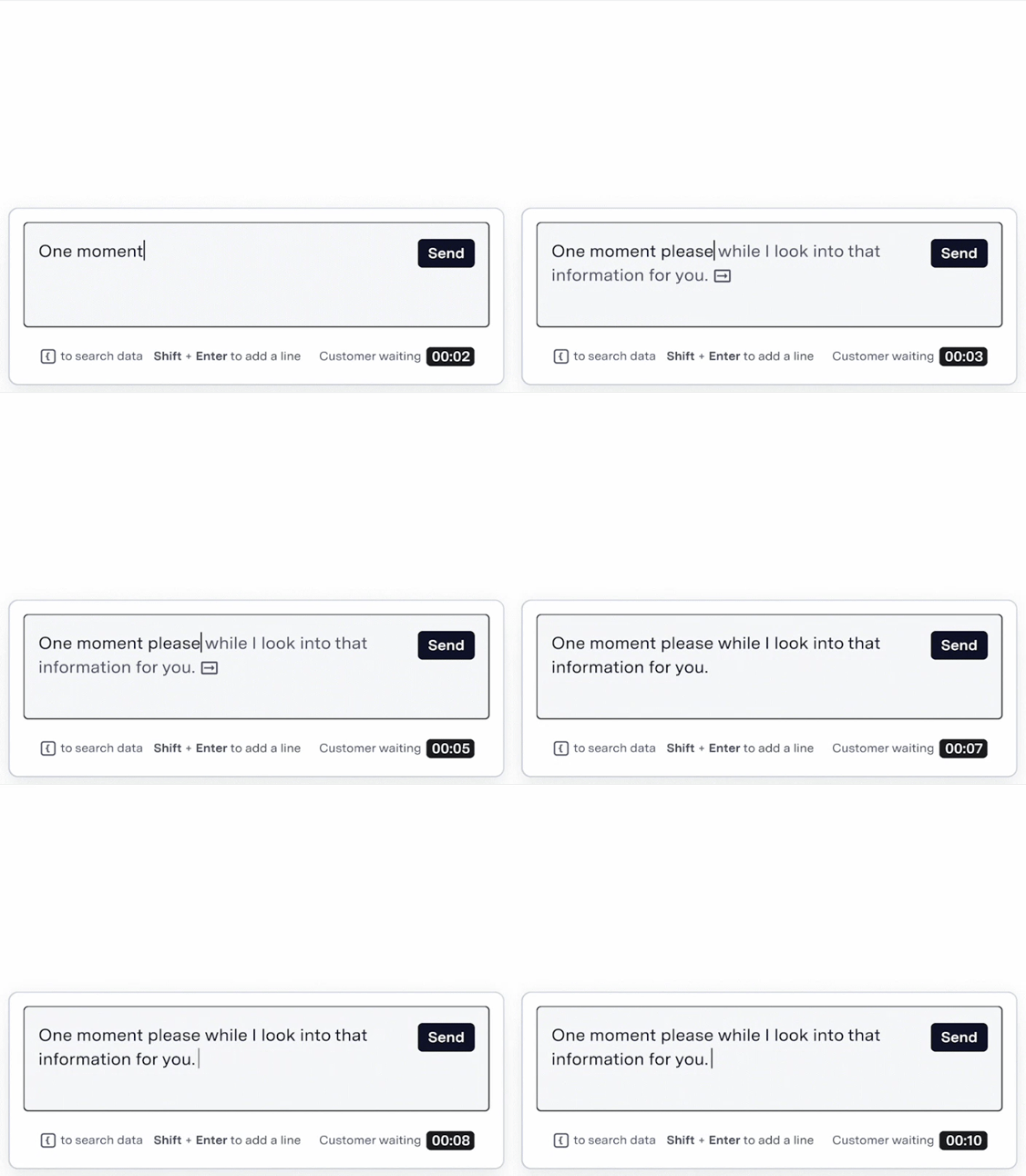
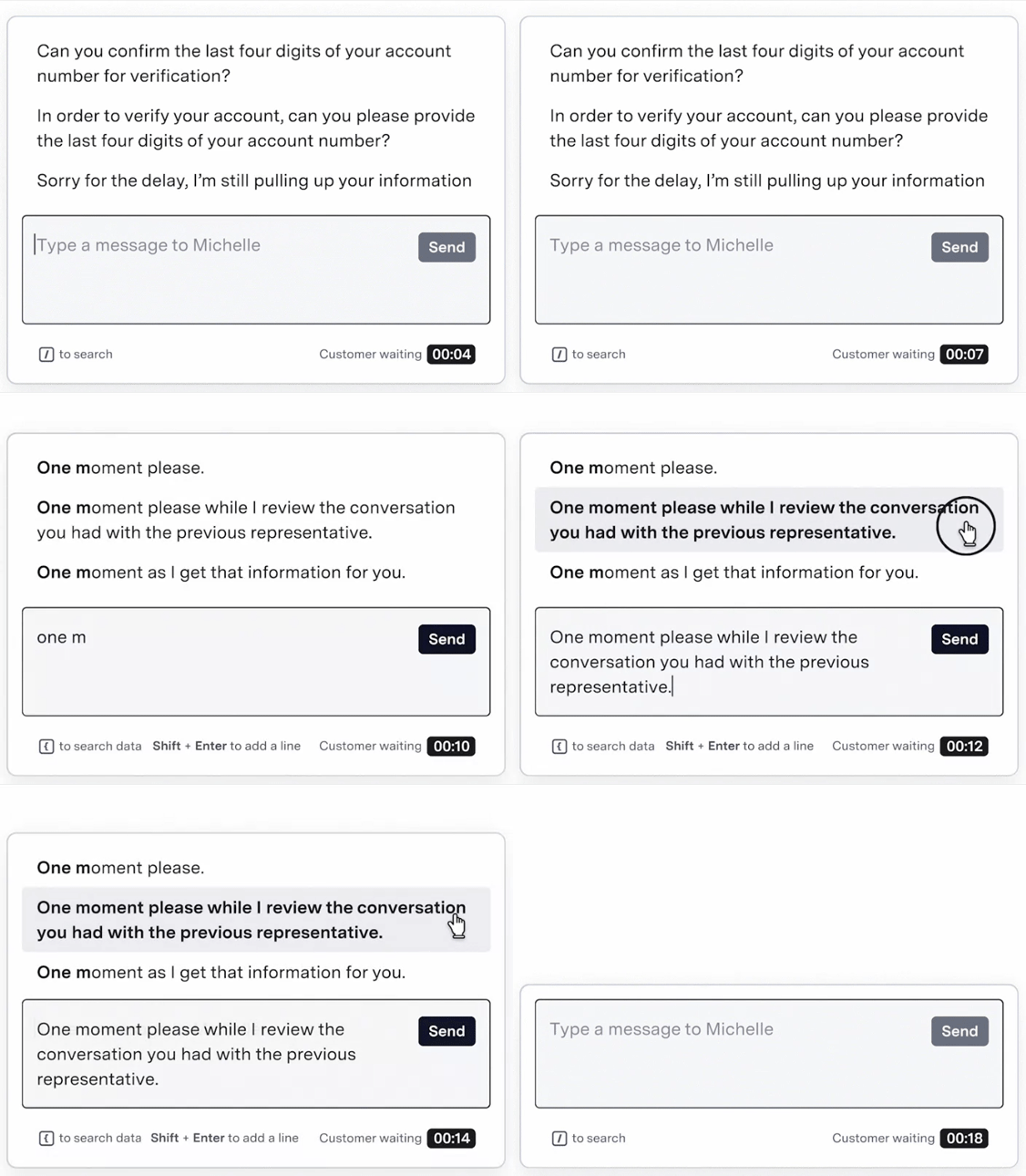 Propose inline completions as your agent types. Streamlining the typing and response process.
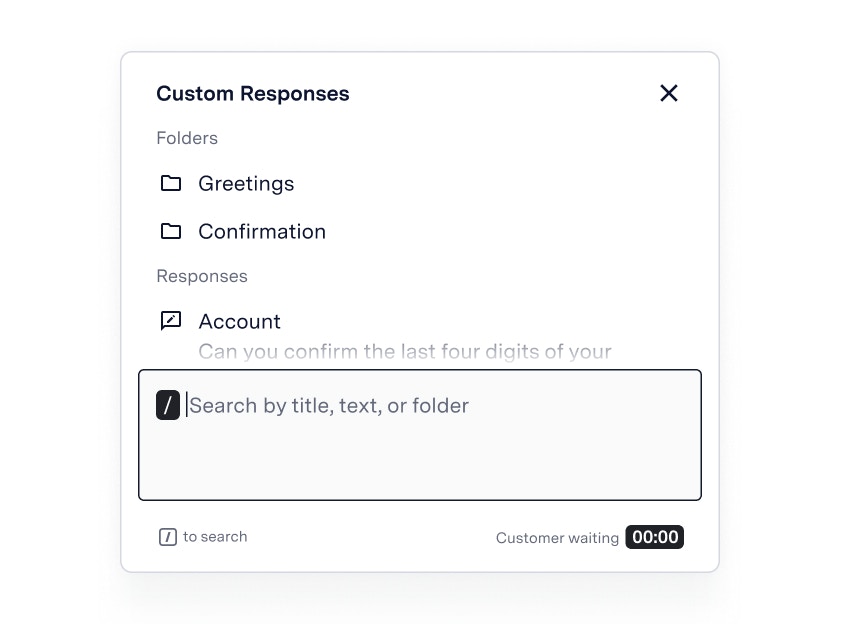
 Agents can use a library of pre-written responses either from your own organization or from their own responses.
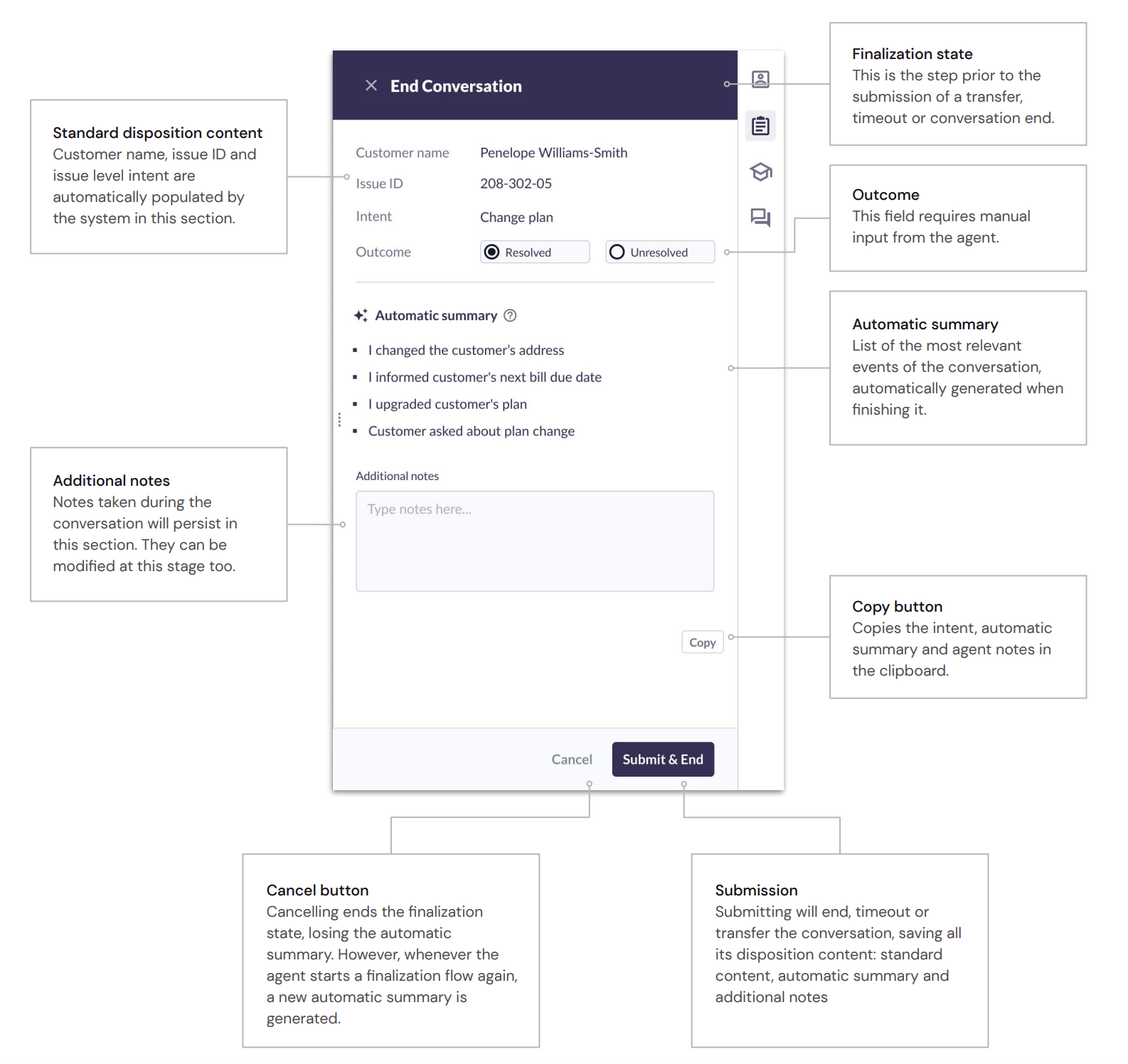
 Streamline the post-call work by automatically summarizing the conversation.
 ## Right-Hand Panel
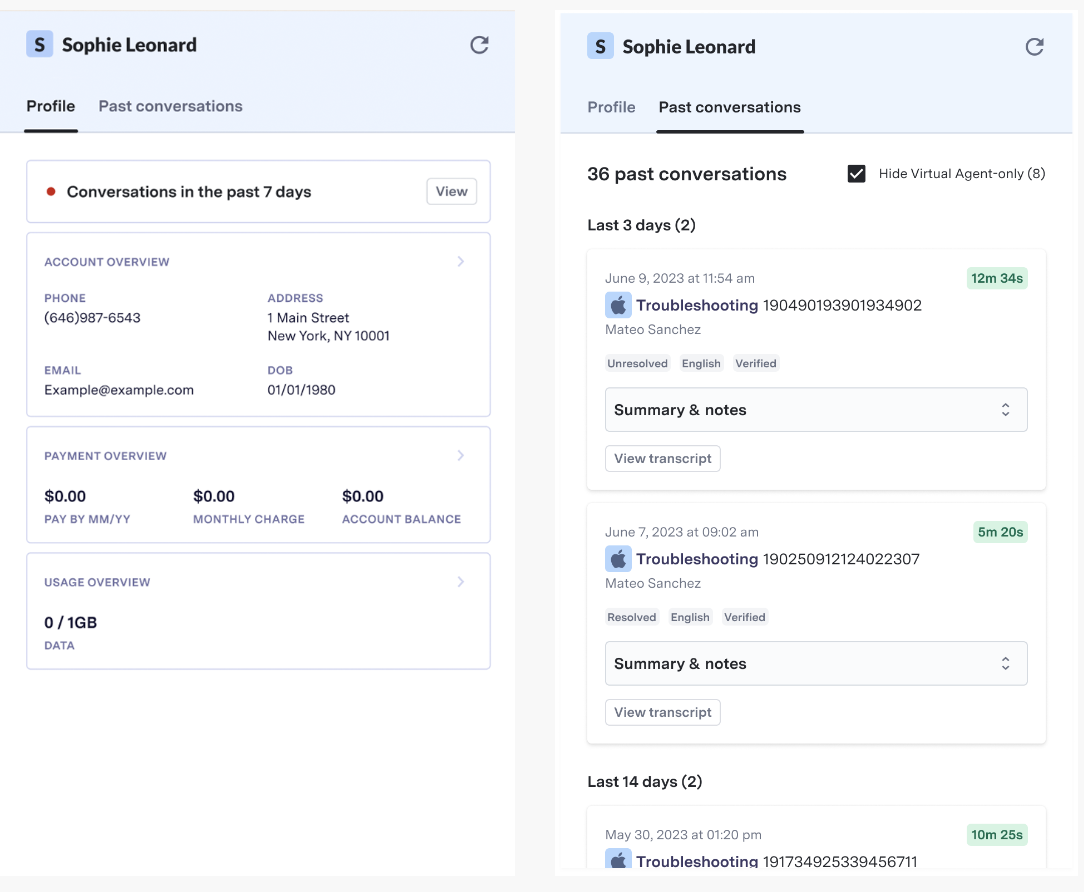
The right-hand panel is the hub for all agent activity. It provides a range of tools like key customer information, conversation history, knowledge base, and more to help agents deliver fast, accurate, and exceptional customer service.
This data can be directly from ASAPP, or from your own CRM or other systems.
## Right-Hand Panel
The right-hand panel is the hub for all agent activity. It provides a range of tools like key customer information, conversation history, knowledge base, and more to help agents deliver fast, accurate, and exceptional customer service.
This data can be directly from ASAPP, or from your own CRM or other systems.
 ## Next Steps
Learn how to navigate the Agent Desk
Learn how to set up and use the Knowledge Base
Connect your own systems and CRMs to the Agent Desk
## Next Steps
Learn how to navigate the Agent Desk
Learn how to set up and use the Knowledge Base
Connect your own systems and CRMs to the Agent Desk