> ## Documentation Index
> Fetch the complete documentation index at: https://asapp-04-04-getting-started-ga.mintlify.site/llms.txt
> Use this file to discover all available pages before exploring further.
# Live Insights Overview
> Learn how to use Live Insights to monitor and analyze real-time contact center activity.
Live Insights provides tools to track agent and conversation performance in real-time. You can:
* Monitor all queues
* Monitor alerts
* Drill down into each queue to gain insight into what areas need attention.
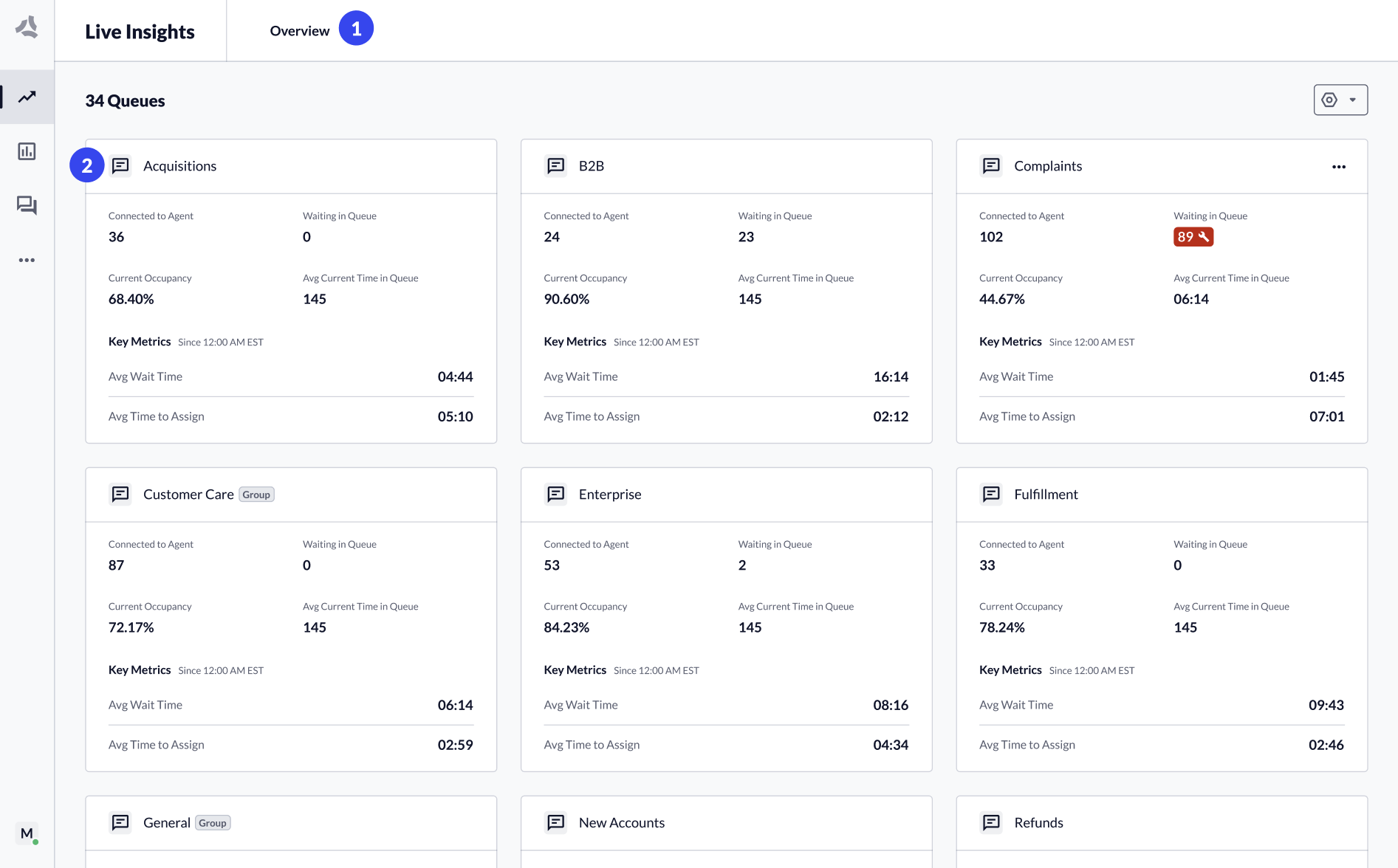 1. The Overview page (All Queues) shows a summary widget for each configured queue.
2. Click a **queue tile** or select a **queue** from the header dropdown to navigate to the Queue Details page.
## Monitor Performance per Queue
The Queue Details page for each queue shows performance across the most important metrics.
All metrics displayed in the dashboard update in true real-time. Metrics can be categorized either as "Right Now" or "Current Period":
* Right Now metrics update immediately upon a change in the ecosystem.
* Current Period metrics will constantly update in aggregate over the day.
## Information Architecture
ASAPP continues to improve the Live Insights experience with new touch points to host live transcripts and to scale up when introducing new metrics and performance signals.
1. The Overview page (All Queues) shows a summary widget for each configured queue.
2. Click a **queue tile** or select a **queue** from the header dropdown to navigate to the Queue Details page.
## Monitor Performance per Queue
The Queue Details page for each queue shows performance across the most important metrics.
All metrics displayed in the dashboard update in true real-time. Metrics can be categorized either as "Right Now" or "Current Period":
* Right Now metrics update immediately upon a change in the ecosystem.
* Current Period metrics will constantly update in aggregate over the day.
## Information Architecture
ASAPP continues to improve the Live Insights experience with new touch points to host live transcripts and to scale up when introducing new metrics and performance signals.
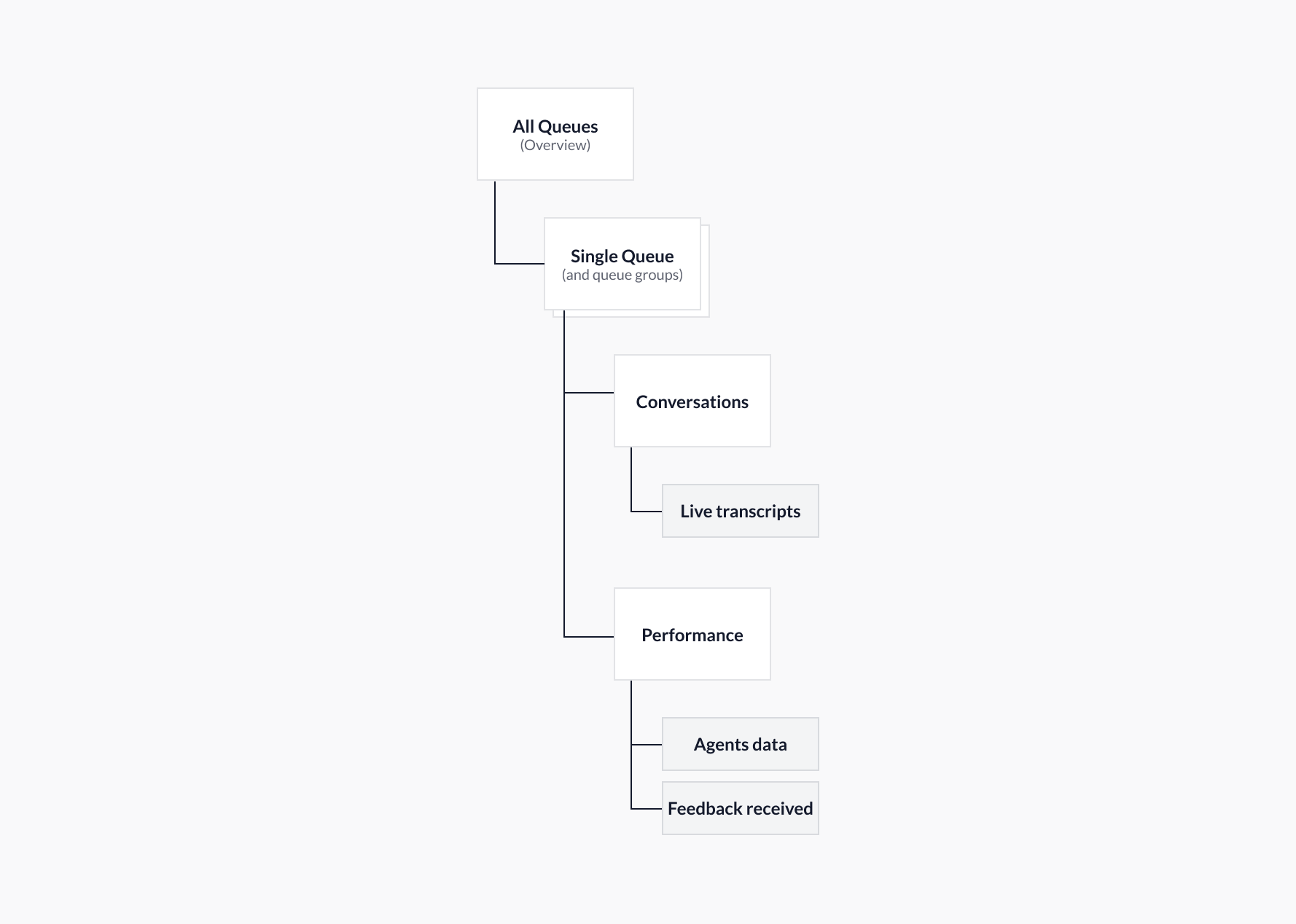 1. **All Queues** → Provides a performance overview of all queues and queue groups. Also provides customization tools to show/hide queues and create/manage queue groups.
2. **Single Queue and Queue Groups** → These now include two pages:
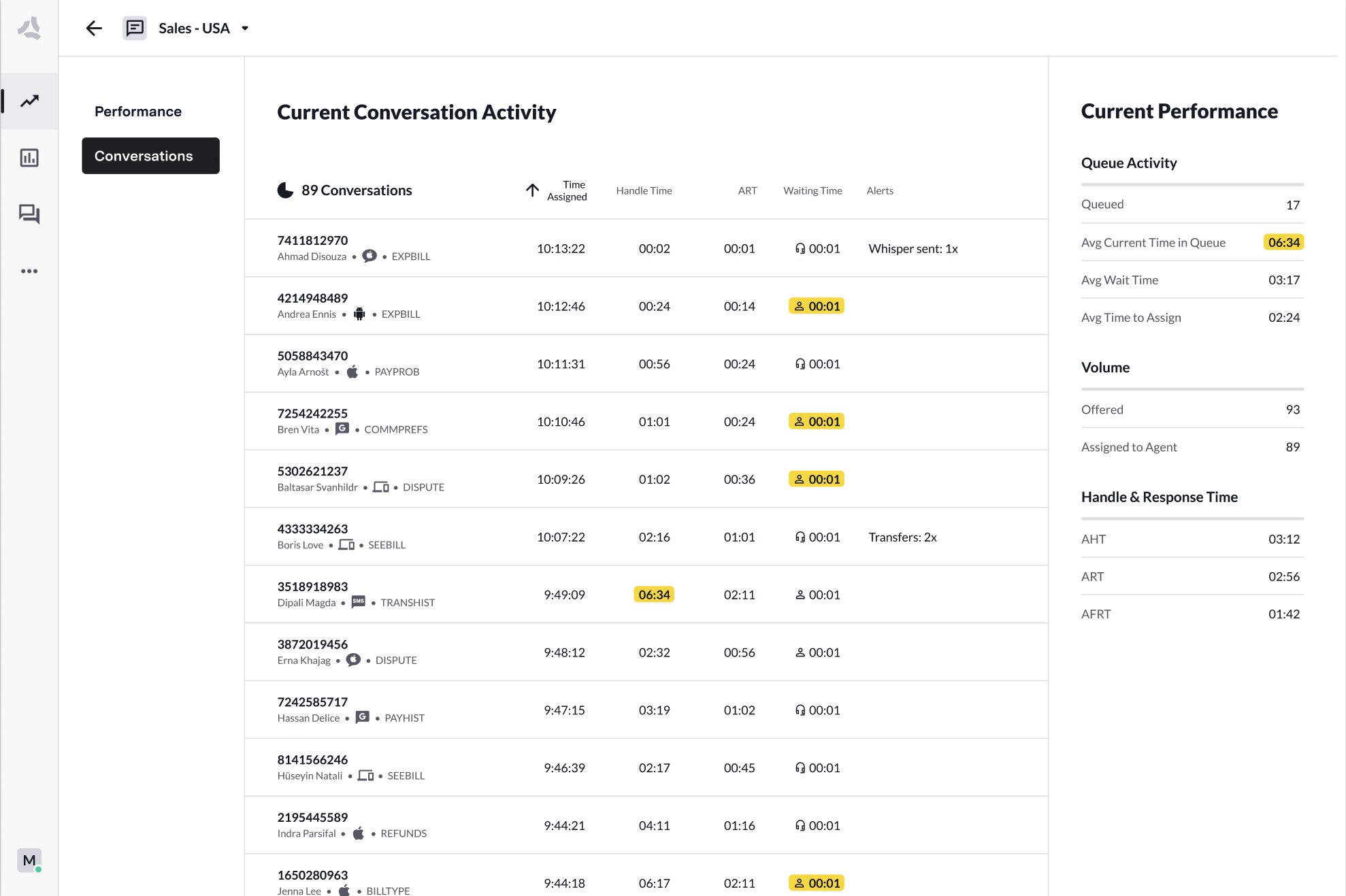
* **Conversations:** Displays performance data for all conversations currently connected to an agent, as well as live transcripts and alerts.
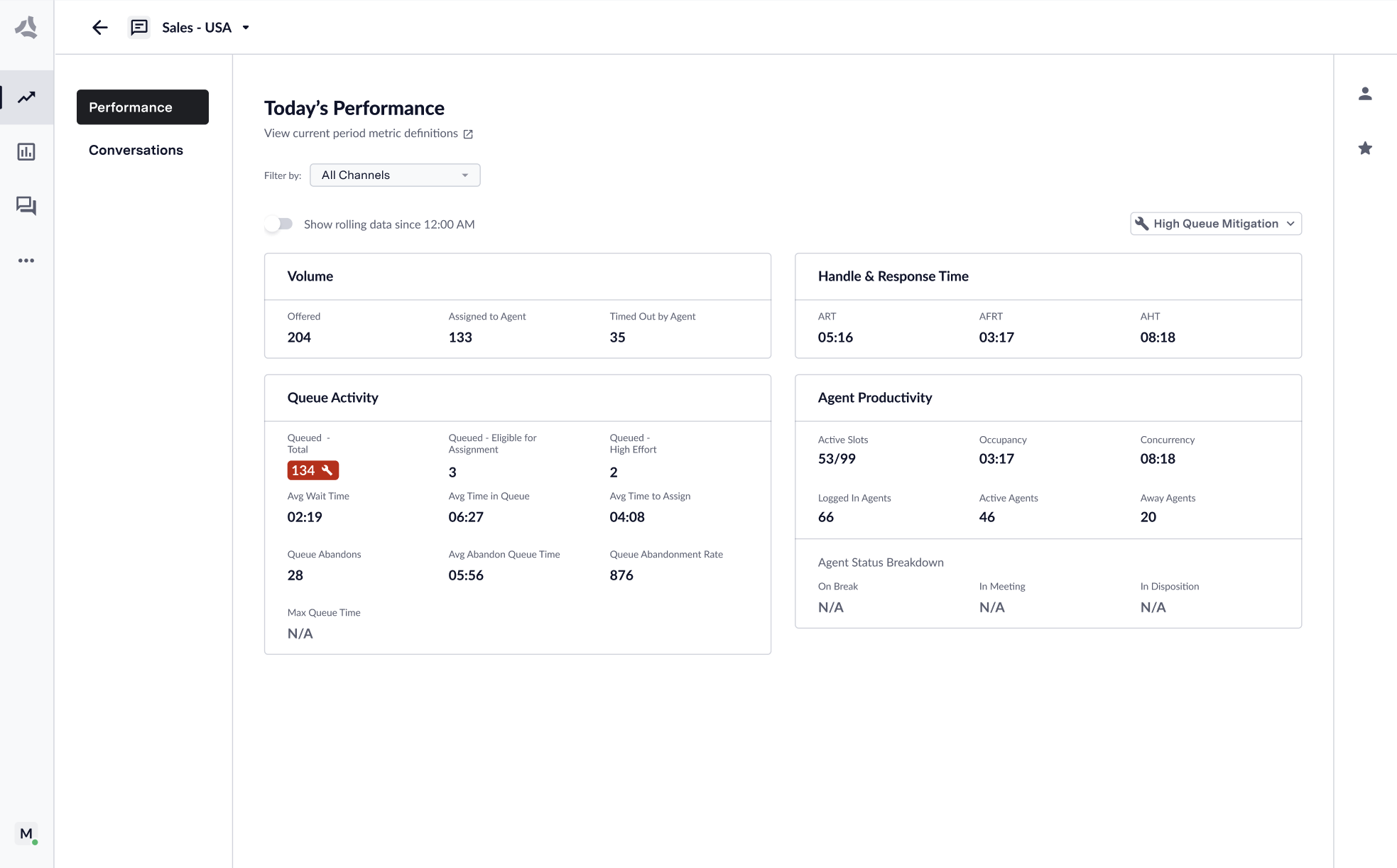
* **Performance:** Displays queue performance data, both for 'right now' and rolling 'since 12 am'. It also provides agent performance data and showcases feedback sent by customers.
### Two Views: Conversations & Performance
1. **All Queues** → Provides a performance overview of all queues and queue groups. Also provides customization tools to show/hide queues and create/manage queue groups.
2. **Single Queue and Queue Groups** → These now include two pages:
* **Conversations:** Displays performance data for all conversations currently connected to an agent, as well as live transcripts and alerts.
* **Performance:** Displays queue performance data, both for 'right now' and rolling 'since 12 am'. It also provides agent performance data and showcases feedback sent by customers.
### Two Views: Conversations & Performance
 **Conversations:**
Displays performance data for all conversations currently connected to an agent, as well as live transcripts and alerts.
**Performance:**
Displays queue performance data, both for 'right now' and rolling 'since 12 am'. It also provides agent performance data and showcases feedback sent by customers.
**Conversations:**
Displays performance data for all conversations currently connected to an agent, as well as live transcripts and alerts.
**Performance:**
Displays queue performance data, both for 'right now' and rolling 'since 12 am'. It also provides agent performance data and showcases feedback sent by customers.